Chrome Not Returning 304 Status in Not-Modified Situations
Analyzing the cause and solution for Chrome browser not returning 304 Not Modified when using Cache-Control and ETag caching.
Problem Situation
While developing a side project that provides users with specific image lists, caching was needed due to the nature of the feature where the served image list is large, changes (
Insert,Update,Delete) are rare, and read operations are frequent.
Therefore, after setting up local cache, I implemented logic to returnHttpStatus Not-ModifiedthroughEtagvalidation when cached data expires, usingCache-ControlandEtagvalues.
This article documents the situation where Chrome browser returns200instead of304even though theEtagvalues are the same during revalidation due to cache expiration.
Environment and Stack
- Chrome browser version - 96 version (December 2021)
spring boot 2.7.1,jdk11curl- Directly request from terminal instead of browser environment to verify the situationwireshark- Capture packets exchanged with server to check response values and request headers
Root Cause
1269602 - chromium - An open-source project to help move the web forward. - Monorail
This issue was a Chrome browser bug that existed up to version 96, confirmed in the Chromium bug issue tracker.
The laptop I was using was purchased around March 2022 with Chrome installed (and left unattended), and the Chrome auto-update option was disabled. Since it was version 96, which was the latest version at the time, this problem occurred.
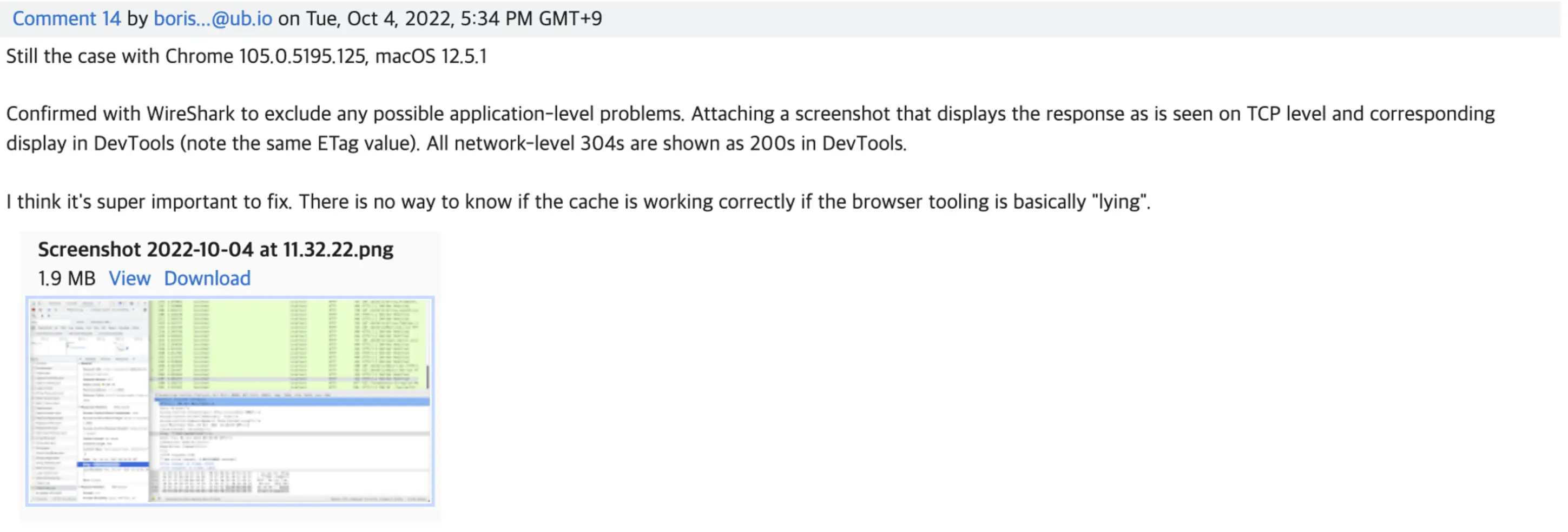
There are comments saying it occurred up to version 105.. Looking at other posts, it seems the problem still exists..
After Update, What About Current Chrome?
After the above problem occurred and Chrome was updated, I confirmed it works normally in the latest version.
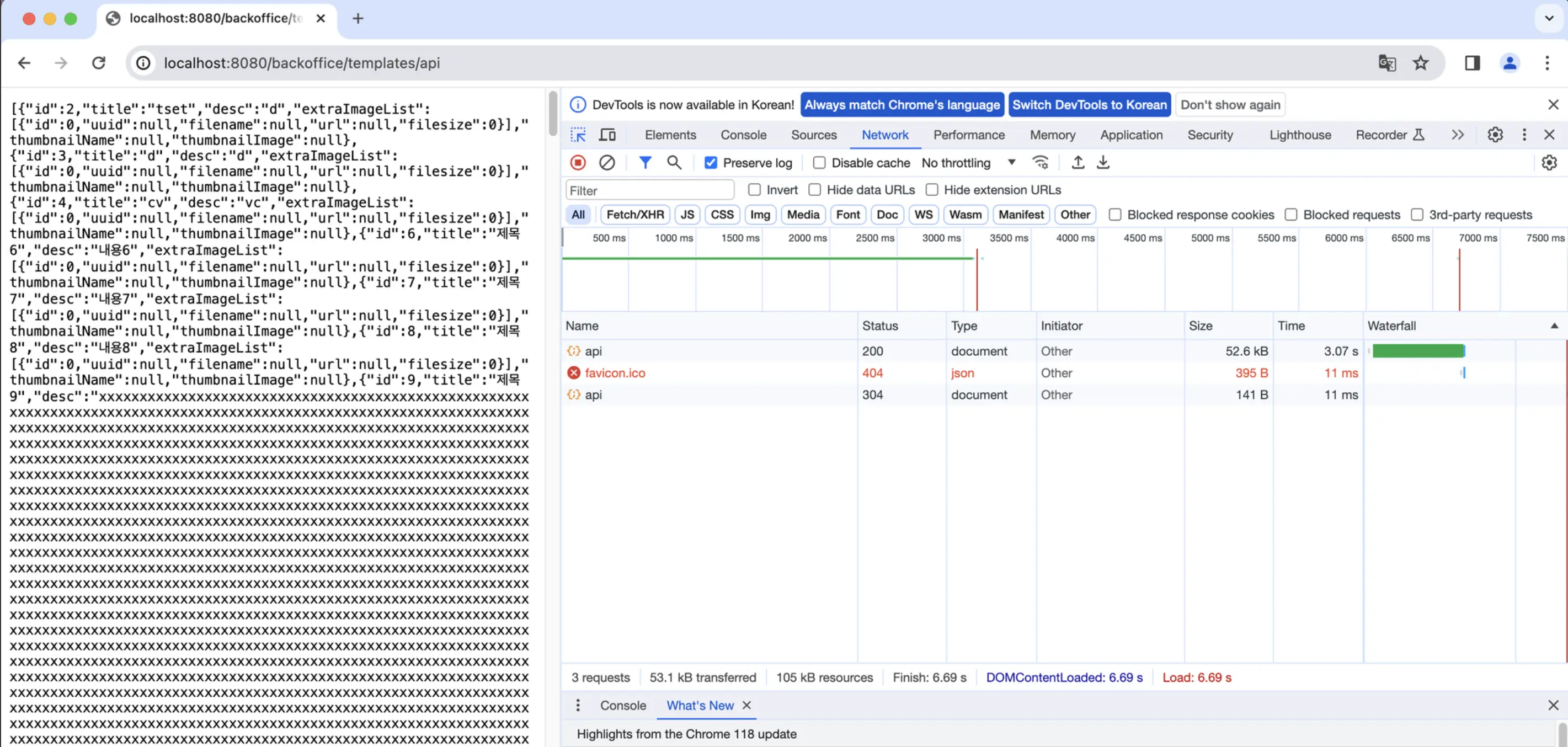
Reproducing the Situation
Server API Code
1
2
3
4
5
6
7
8
9
10
11
12
13
14
15
16
17
18
19
20
21
22
23
24
25
26
27
28
29
30
31
32
33
/**
	* When requesting this API, an image list is returned.
	* For test reproduction, example value is set for etag and no-cache is set in response header.
	* In actual implementation, resource hash or version is used with max-age=60, must-revalidate
	* After the first request, the returned etag value is put in if-none-match and compared, returning 304 if same
	*
	* @param pageNo
	* @param pageSize
	* @param blockSize
	* @return
*/
@GetMapping("/backoffice/templates/api")
public ResponseEntity<List<ImageTemplateDto>> getImageTemplatesRest(
        @RequestHeader(value = "If-None-Match", required = false) String requestETag,
        @RequestParam(required = false, defaultValue = "1") int pageNo,
        @RequestParam(required = false, defaultValue = "7") int pageSize,
        @RequestParam(required = false, defaultValue = "3") int blockSize) {
    try {
        List<ImageTemplateDto> imageTemplateDtoList = imageTemplateService.getList(pageNo, pageSize, blockSize);

        String etag = "example-etag";

        return ResponseEntity
                .ok()
                .eTag(etag)
                .header(HttpHeaders.CACHE_CONTROL, "no-cache")
                .body(imageTemplateDtoList.stream()
                        .limit(pageSize)
                        .collect(Collectors.toList()));
    } catch (InterruptedException interruptedException) {
        return null;
    }
}
- Current
Cache-Controlsetting isno-cache, so validation is always done on the server. - Since the
etagvalue is hardcoded,304 statusmust be returned from the second request onwards. - Also, since it’s
not-modified, the server doesn’t sendbodyvalue to the client (browser), so the returned body size will be different (smaller) from the first request.
In Chrome (96 version)
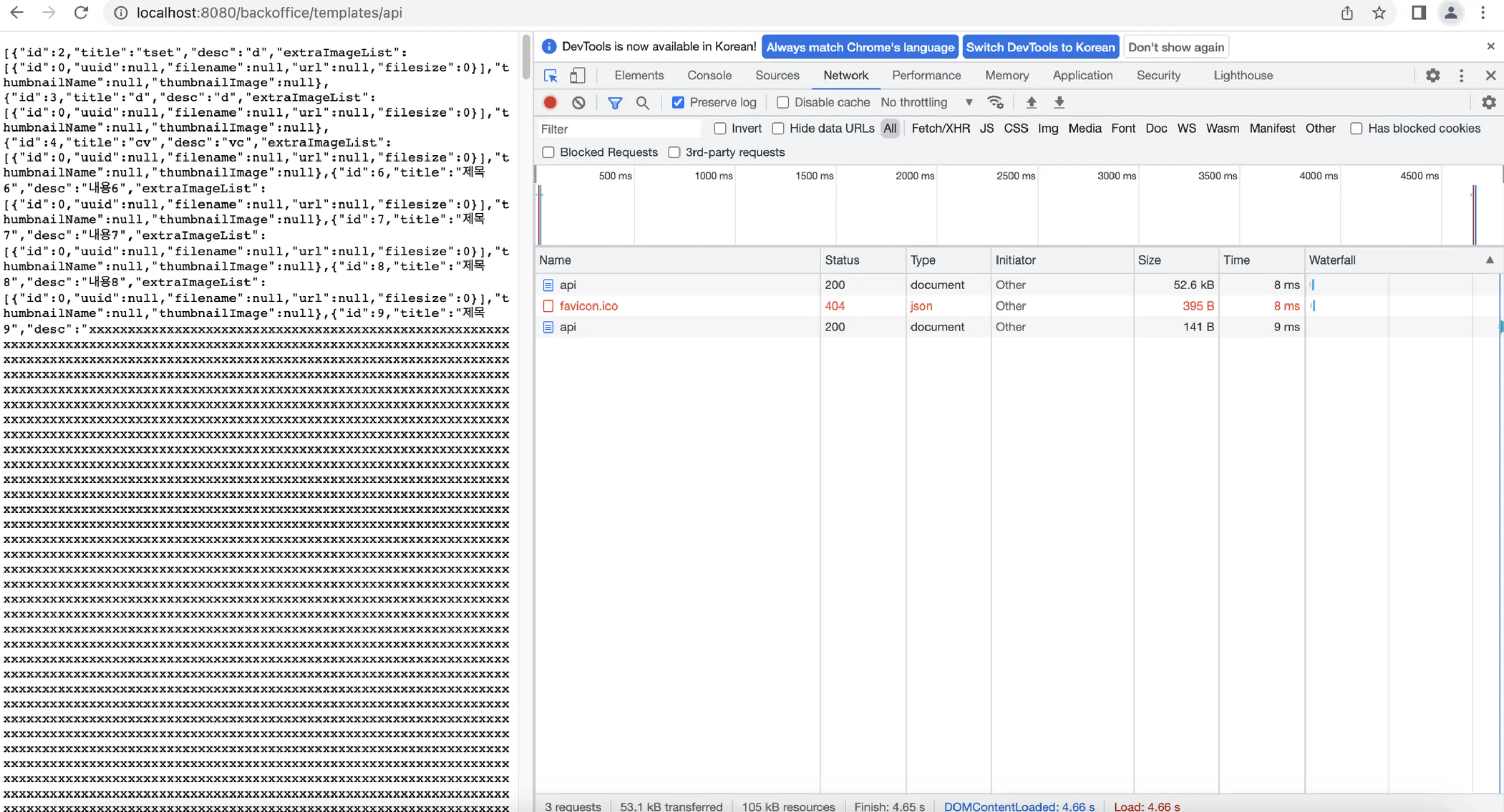
- Looking at the returned size, it clearly means the browser used cached resources without receiving them from the server.
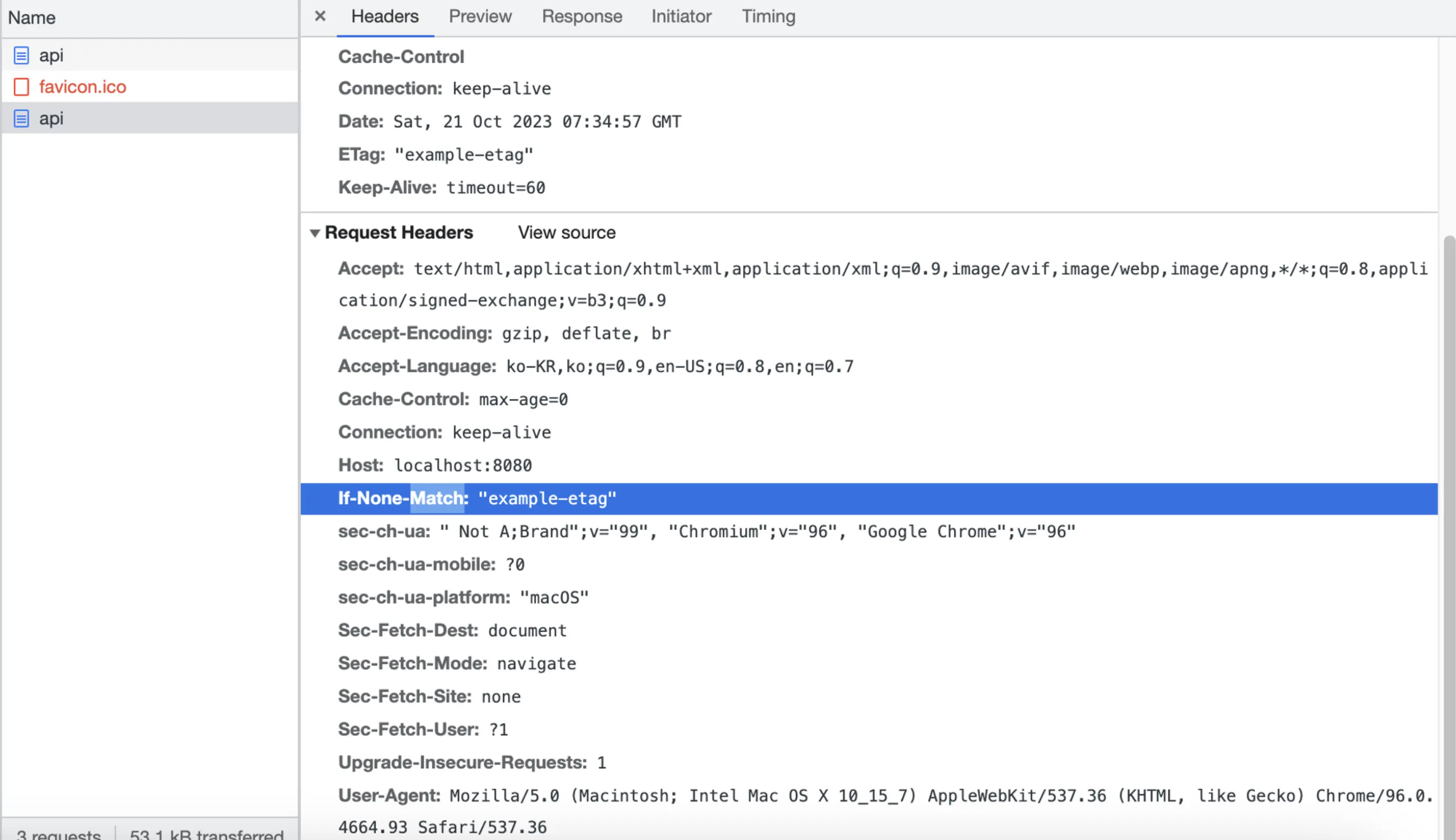
- Clearly, if-none-match is present in the request header.
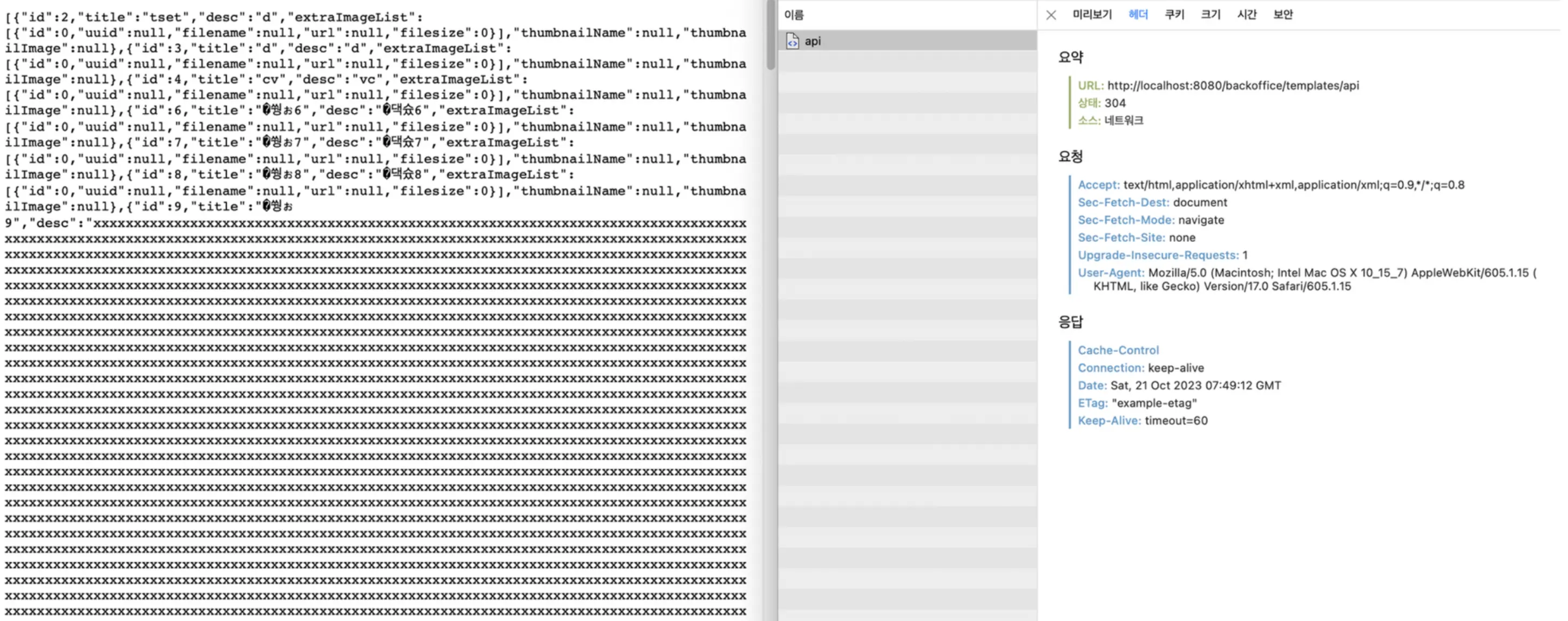
Safari
- As expected, from the second request onwards, it returns 304 correctly without receiving original resources from the server.
Edge
- Edge also returns 304 correctly from the second request onwards without receiving original resources from the server.

Can We Trust Browsers?
Cause
The server clearly thinks it gave 304 and the browser shows us the response. But why can it be different?
Summarizing the process from when we click a link in the browser to when the site becomes visible:
- URL Request and DNS Lookup: When a user enters a URL or clicks a link, the browser checks the local cache and, if necessary, translates the domain to an IP address through DNS lookup.
- Server Connection and Security Setup: The browser establishes a TCP connection with the server and, for HTTPS, performs SSL/TLS handshake.
- HTTP Request and Response: After connection, it sends an HTTP request to the server, and the server processes and returns an HTTP response.
- Resource Processing: Then the browser parses and processes received HTML, CSS, JavaScript, and other resources.
- Rendering: The browser creates a render tree based on processed resources, calculates layout, and paints to the screen.
In other words, while each browser generally tries to follow web standards (W3C, IETF, etc.), they have their own interpretations and implementation methods, so rendering methods can differ between browsers in specific versions and technologies.
- Chrome might be correct (though that’s unlikely), or perhaps
spring applicationis returning200instead of304, and other browsers (Edge, Safari) are just displaying it as 304.
Verifying with curl
Therefore, we need to verify the problem by directly sending requests to the server through curl and checking the response to determine whether Chrome, Spring, or other browsers are at fault.
curl is an independent tool separate from browsers, so it can communicate with the server and receive responses regardless of browser behavior.
Result
- As shown in the image below, adding
If-None-Matchto the header returns 304. - This means the resource received from the server before browser rendering is correctly 304, and Spring is not the problem.


Can We Trust curl?
- Since 1997, it has been used by many people and has an active community. As an open source project, the code is reviewed by many eyes, so reliability is high.
- The recent release (8.4) was in early October 2023, meaning developers are continuously participating in the project.
- Of course, there are still vulnerabilities, and if asked whether it can be completely trusted, I would say no. Due to its long history, there are also many HTTP response-related bug cases.
curl HTTP Response Related Bug Cases
curl - HTTP Proxy deny use after free - CVE-2022-43552
curl - HTTP headers eat all memory - CVE-2023-38039
curl - HTTP multi-header compression denial of service - CVE-2023-23916
What is the Most Reliable Method?
For checking requests and responses with the server in this problem situation, I chose Wireshark because:
1. As an open source project, it can be easily verified.
2. Since network packet analysis is possible, all packets transmitted over the network can be captured and analyzed.
Verification process after installing Wireshark for the above reasons:
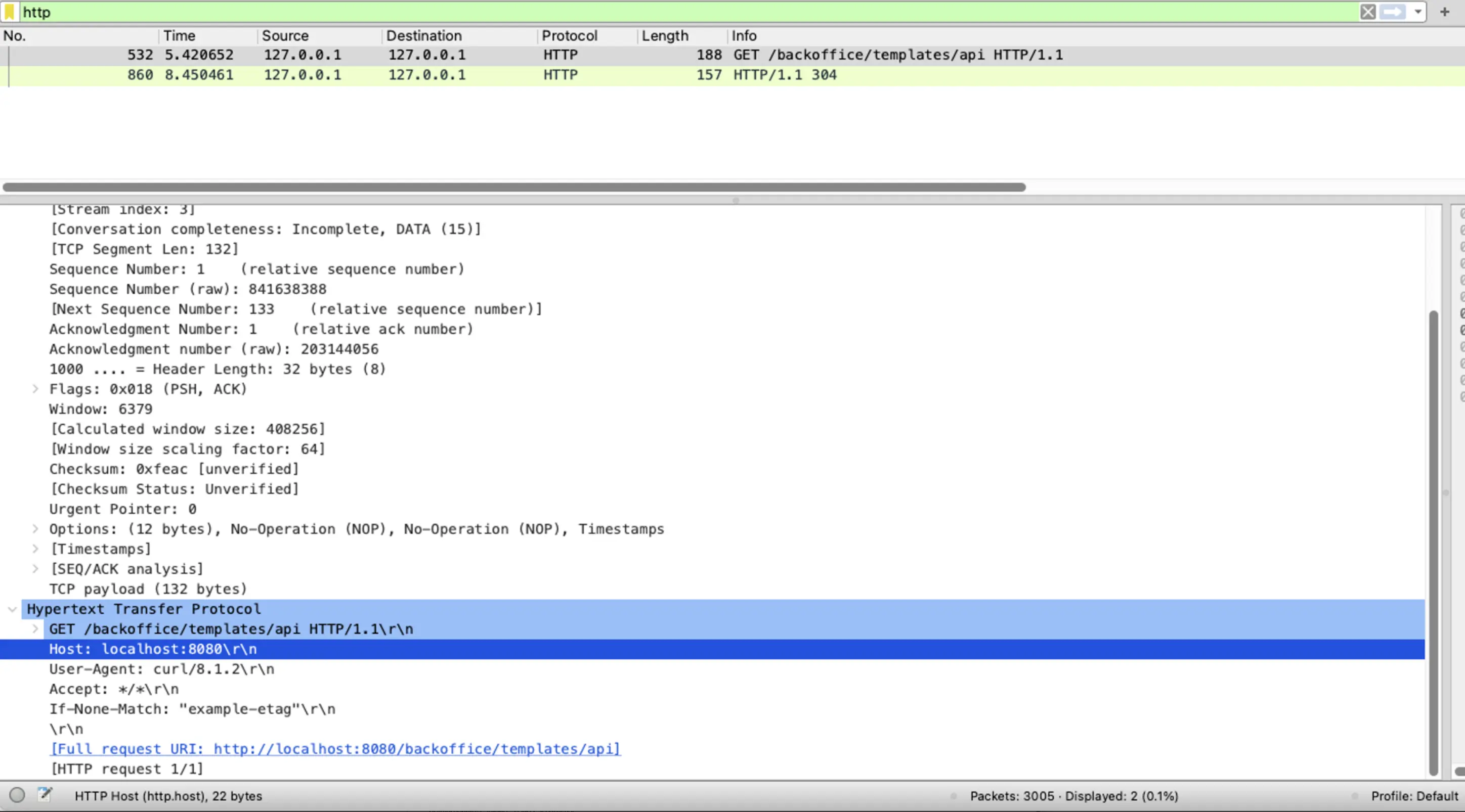
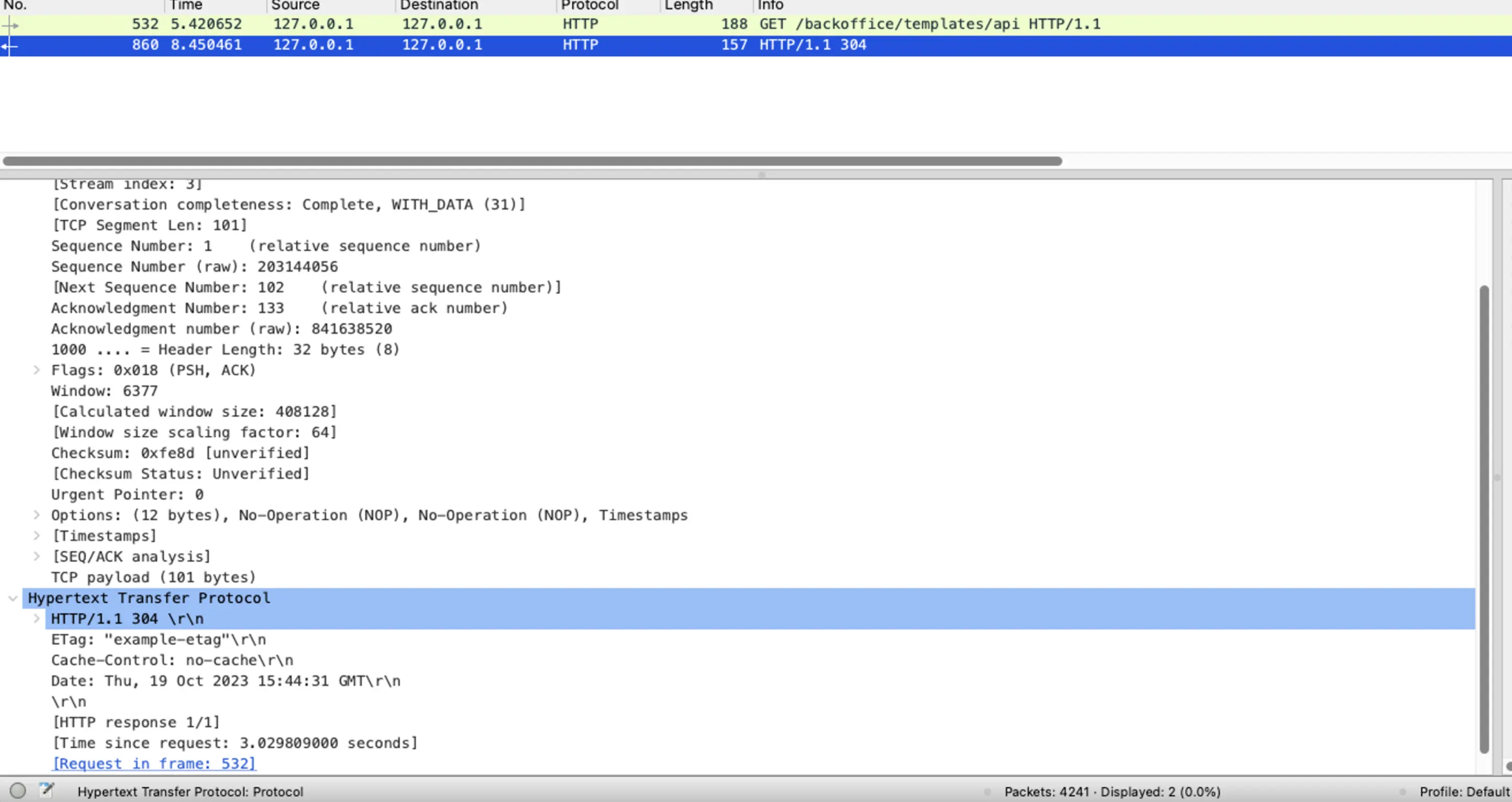
- First, since the reproduction environment is local, only check loopback packets.

- Then apply HTTP filter to check API requests and responses. Confirm that requests and responses are recorded.
- Also verify that the response was exactly 304.